
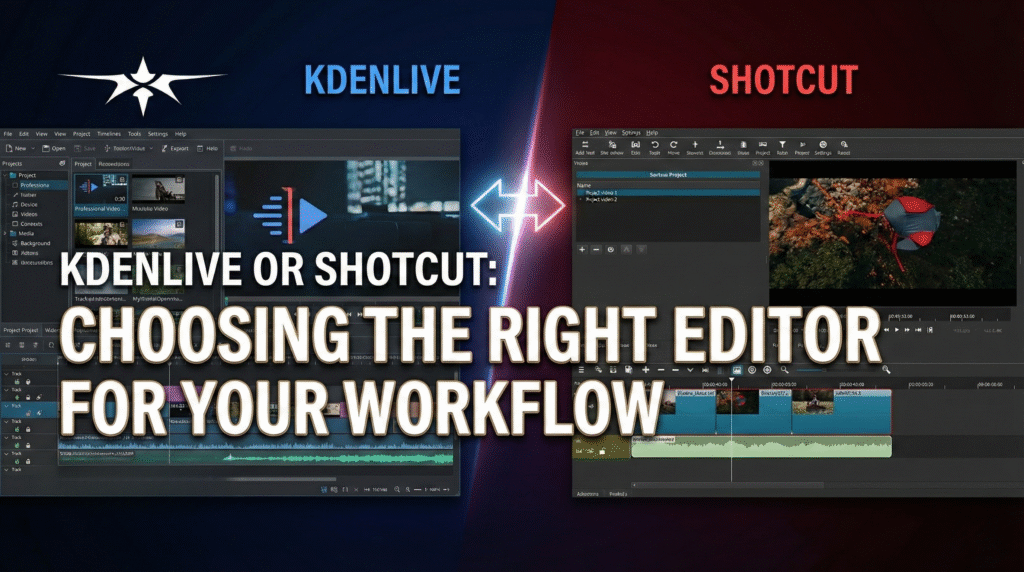
KDENLIVE OR SHOTCUT? CHOOSING THE RIGHT EDITOR FOR YOUR WORKFLOW
In today’s fast-moving world of video production, selecting the right editing software can significantly boost your creative potential and efficiency. Kdenlive and Shotcut are two leading open-source video editors that stand out for their robust capabilities and accessible design. Kdenlive, launched in 2003, is well-regarded for its advanced multi-track editing and rich library of effects, which satisfy both novices and professionals seeking flexibility and depth. In contrast, Shotcut, introduced in 2011, is designed with a focus on simplicity, allowing you to dive into projects quickly without sacrificing creative control. When deciding between these editors, it helps to consider how each aligns with your editing habits, technical needs, and the complexity of the projects you tackle.
UNDERSTANDING THE INTERFACE OF EACH EDITOR IS KEY TO A SMOOTH EDITING PROCESS. KDElive offers a highly customizable workspace, packed with tools and panels that cater to detailed workflows and intricate edits. While beginners may find this interface overwhelming initially, being able to rearrange panels and save layouts means you can eventually streamline your own environment. Shotcut, on the other hand, presents a minimal and intuitive user interface, making it easy to start editing right away. If you prefer editing in a clean workspace that limits distraction, Shotcut is appealing; but if you need an array of shortcuts and options at your fingertips, Kdenlive gives you more room to adjust your workflow.

PERFORMANCE AND SYSTEM REQUIREMENTS
Performance matters greatly, especially when working with larger files or high-definition footage. Kdenlive often demands more computing power, particularly with 4K or complex projects, so you’ll want a capable computer for the smoothest experience. Some users report occasional stability issues during long sessions or with effects-heavy timelines, but ongoing development aims to address these points.
Shotcut stands out for its efficient use of resources, performing reliably even on older or less powerful hardware. Between the two, your choice may depend on the hardware you have access to and your typical project size.
CREATIVE TOOLS AND FEATURES
When it comes to creative tools, both editors offer the basics like cutting, trimming, and organizing clips, but their advanced features set them apart. Kdenlive includes sophisticated color grading controls and a vast array of effects and transitions, ideal for users who want precision and in-depth customization.
Shotcut provides a strong set of filters along with a straightforward audio interface, allowing you to fine-tune sound and achieve clear synchronization with video. If your projects require intricate visual effects or detailed color correction, Kdenlive will likely suit you better. For most standard editing tasks and simple projects, Shotcut’s tools are more than sufficient, and you can always explore additional features as your skills grow.

WORKFLOW INTEGRATION AND MEDIA COMPATIBILITY
Integrating your video editor into your overall workflow can save a lot of time and headaches. Kdenlive lets you import and export a wide variety of formats, streamlining your project handoff or collaboration with other tools. Its standout proxy editing feature lets you work with lower-resolution copies of your footage, improving real-time performance and reducing lag on most computers.
Shotcut, while offering fewer export options, still handles a range of file types and is easy to fit into a typical video production workflow. Consider which media formats you regularly use and whether you need advanced features like proxies or batch processing when making your decision.
COMMUNITY SUPPORT AND LEARNING RESOURCES
Strong support and educational resources can be crucial, especially as you start to use new software. Both editors are supported by active user communities, providing forums, articles, and video tutorials that cover everything from beginner tips to advanced techniques.
Kdenlive benefits from a growing ecosystem of third-party plugins and add-ons, further expanding its capabilities to meet diverse production needs. Shotcut’s approachable interface results in a gentler learning curve, so you can quickly access key functions and start editing with minimal ramp-up time. For hands-on learners and those who value peer support, the accessibility and friendliness of both communities are big advantages.

FIND YOUR IDEAL VIDEO EDITING SOLUTION
Ultimately, your choice between Kdenlive and Shotcut will depend on your workflow style, hardware capabilities, and the demands of your projects. Kdenlive is powerful and highly customizable, appealing to editors who crave advanced effects, precise controls, and flexible layouts for more challenging edits. Shotcut is ideal if you want a user-friendly, stable editor that performs well even on older systems and still provides all the essentials. Downloading both to test them with your actual footage is a smart way to see which suits you best. Whichever you prefer, both options empower you to craft professional video projects efficiently and creatively.
