
CAPCUT VS VN VS LUMAFUSION: THE BEST MOBILE EDITOR FOR BEGINNERS
With advancements in mobile technology, video editing has never been more accessible. Now, all you need is a smartphone and an editing app to transform your ideas into engaging videos, whether for social media or personal projects. For beginners, choosing the right editing app makes a significant difference in how easily you can create, learn, and share videos. The right platform will empower you with user-friendly tools, intuitive layouts, and a supportive community that fosters creativity and growth. In this comparison, you’ll find an in-depth review of three top mobile video editors—CapCut, VN, and LumaFusion—to help you select the best app for your needs.
EVALUATING CAPCUT, VN, AND LUMAFUSION: WHAT BEGINNERS SHOULD KNOW
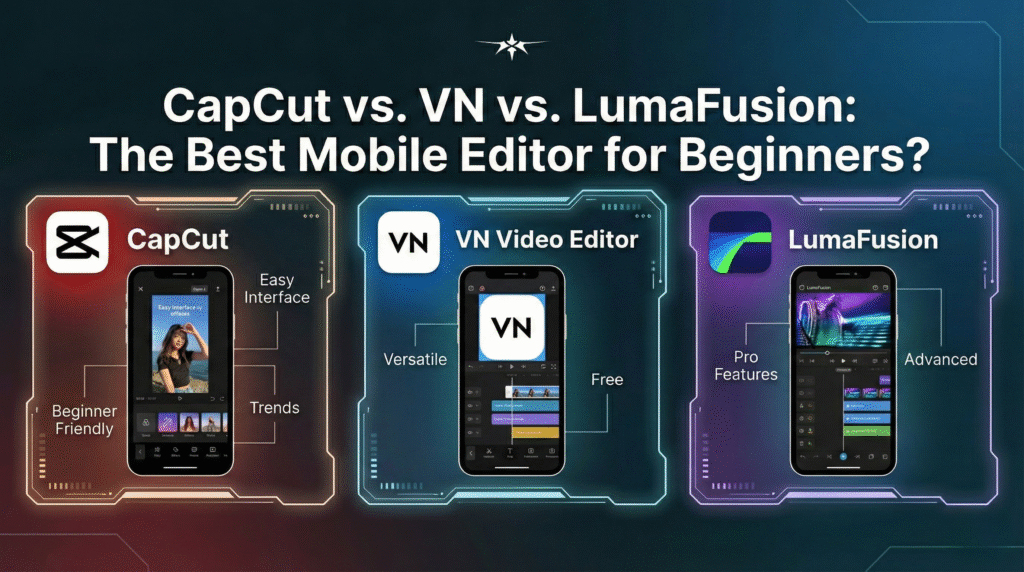
When deciding between CapCut, VN, and LumaFusion, it’s important to match the app’s learning curve to your editing goals. CapCut stands out for its simplicity, so you can get started without confusion or the need for prior experience. VN balances an easy interface with creative flexibility, so you’re supported as you advance in your editing skills over time. LumaFusion is best for users interested in deeper exploration, as mastering its sophisticated features requires more patience. If you value rapid results and an intuitive setup, CapCut or VN may feel most comfortable, while LumaFusion rewards those ready to invest in their editing journey.
Both CapCut and VN handle essential editing tasks like trimming, adding music, and applying effects quickly and without fuss. Their uncluttered layouts mean you won’t be overwhelmed by excessive options as you take your first steps in video creation. LumaFusion, on the other hand, presents a more robust set of tools, such as multi-layer editing and advanced keyframing, which provide room to experiment with professional techniques. However, this complexity comes with a steeper learning curve, so you should be prepared to spend more time exploring its features. Still, that investment pays off in versatility and creative freedom as your skills progress.
FEATURES AND PERFORMANCE: FINDING THE IDEAL FIT

CapCut is packed with trendy effects and simple automation options designed for platforms like TikTok and Instagram, making quick video production easy. With VN, you gain access to more advanced functions like adjustable speed controls, keyframe animation, and precise audio management, which help you tell richer, more engaging stories. For those seeking the most powerful toolkit, LumaFusion’s offering includes multi-track support, 4K export capabilities, detailed color grading, and the ability to work with a range of file formats.
Performance is another critical aspect to consider. CapCut and VN are both lightweight, ensuring smooth operation and quick exports on most modern smartphones. LumaFusion demands more processing power, as it handles larger projects and complex edits with exceptional stability and precision, provided you have a capable iOS device.
HERE’S A QUICK COMPARISON TO HELP DISTINGUISH THEIR FOCUSES:
– CapCut: User-friendly, quick edits, ideal for social content
– VN: Tutorial-rich, supportive community, variable complexity suited for growing editors
– LumaFusion: Professional-grade, multi-track timeline, best for advanced editing and film-like results
COST AND DEVICE COMPATIBILITY

Affordability and device compatibility can greatly influence which mobile editor is the best for beginners. CapCut and VN are free to download on iOS and Android, and you can access core features at no cost, with optional in-app purchases for upgrades. This makes them accessible to users across different operating systems and budget levels. LumaFusion, however, is a premium app exclusive to iOS; you pay a one-time fee, but gain access to a suite of professional features that rivals desktop editors. While Android users may need to consider alternatives, LumaFusion’s capabilities make it a favorite among those invested in mobile editing on Apple devices.
WHICH MOBILE EDITOR MATCHES YOUR PERSONAL EDITING STYLE?
How you approach video creation will help determine which app

is most suitable for your journey. If you crave frictionless, step-by-step workflows with a focus on speed and simplicity, CapCut is an excellent gateway. VN bridges the gap between basic and advanced editing by blending an intuitive interface with plenty of learning resources and peer support. LumaFusion caters to those who want extensive control, multiple video and audio tracks, and cinematic quality—mirroring desktop apps in a mobile format. Each editor supports a distinct editing style, letting you choose based on the level of creative control and complexity you desire. Reflecting honestly on your goals will guide you toward the app that best supports your growth as a video creator.
SUMMARY: SELECTING YOUR BEGINNER MOBILE EDITOR
Deciding on the best mobile video editor comes down to your creative ambitions, device, and how much time you want to dedicate to learning new tools. CapCut is a great choice for anyone who desires straightforward editing with minimal effort or prior experience. VN provides a stepping stone, combining simplicity with the resources you need to advance your skills through community support and hands-on examples. If you’re seeking powerful, professional features and you own an iOS device, LumaFusion stands out as the premium choice. Whatever you decide, be assured that all three apps can help you build skills and produce videos you’ll be proud to share.
